 Hands-Free Scroll
Hands-free scrolling for Android
Hands busy? The page keeps moving.
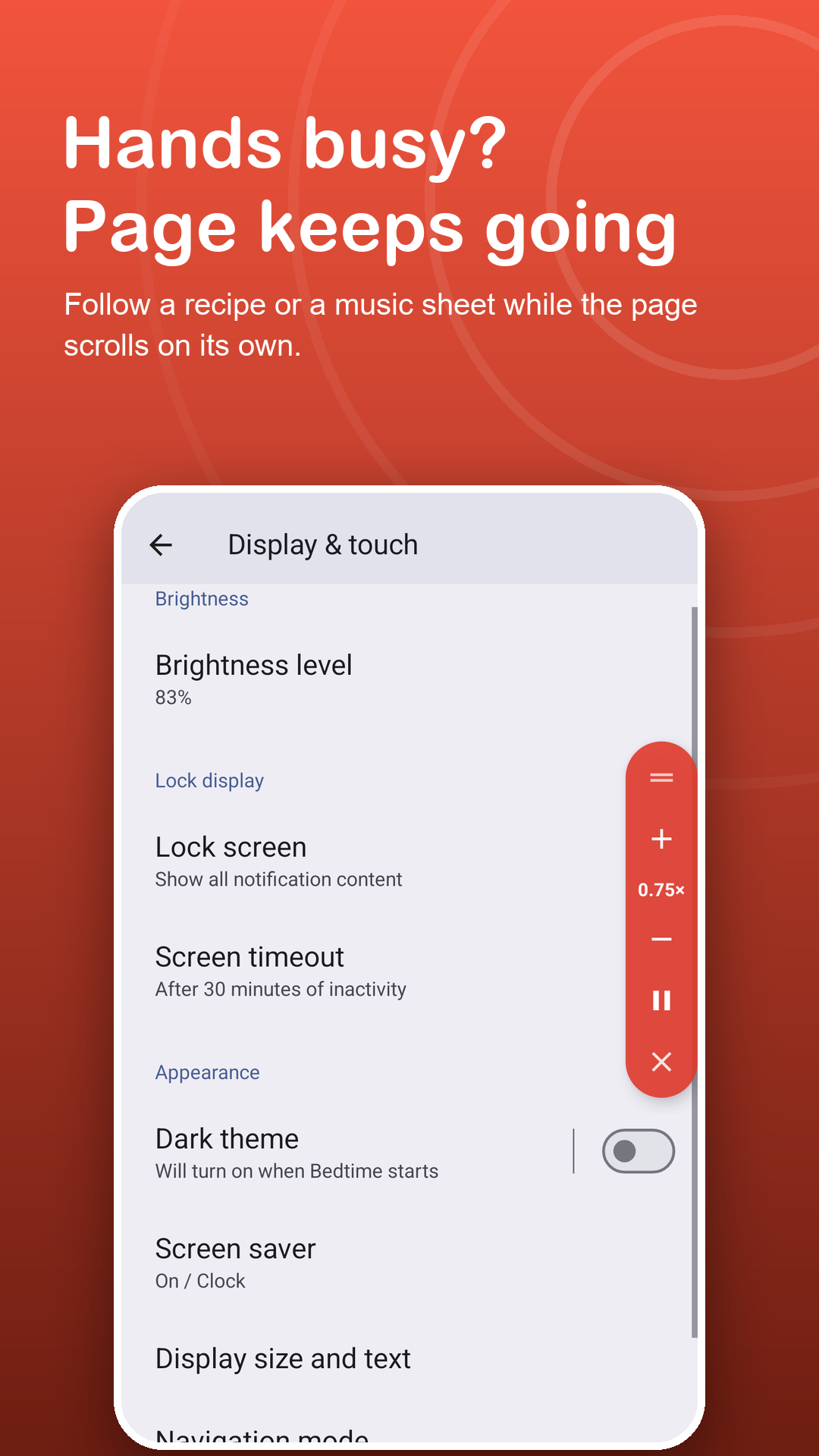
Follow a recipe with flour on your fingers, play from a score without letting go of your instrument, or read on the treadmill. Prop up the phone, press play once, and Hands-Free Scroll does the swiping.
Free · Android 7.0+ · continuous scrolling at every pace is free
Screenshots
One tap, then hands off.
How it works
Ready before the pan heats up.
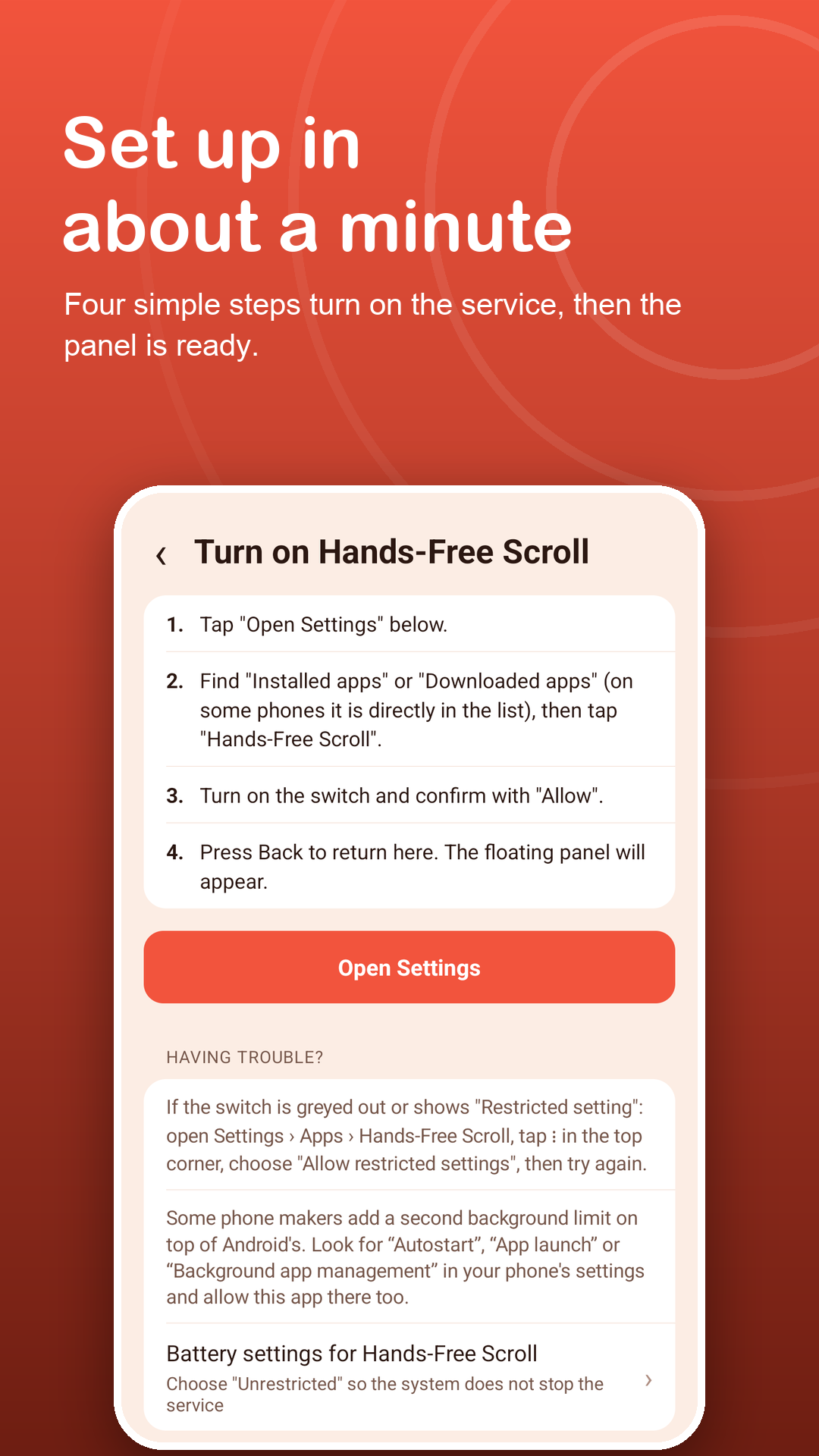
Switch on the service
A plain disclosure explains what the service does and does not do, then a guide walks you through Android settings, with help for Restricted setting on newer phones.
Open your page and press play
Recipe, chord sheet, article or craft pattern: tap play on the floating panel and pick a pace with + and −.
Touch to hold your place
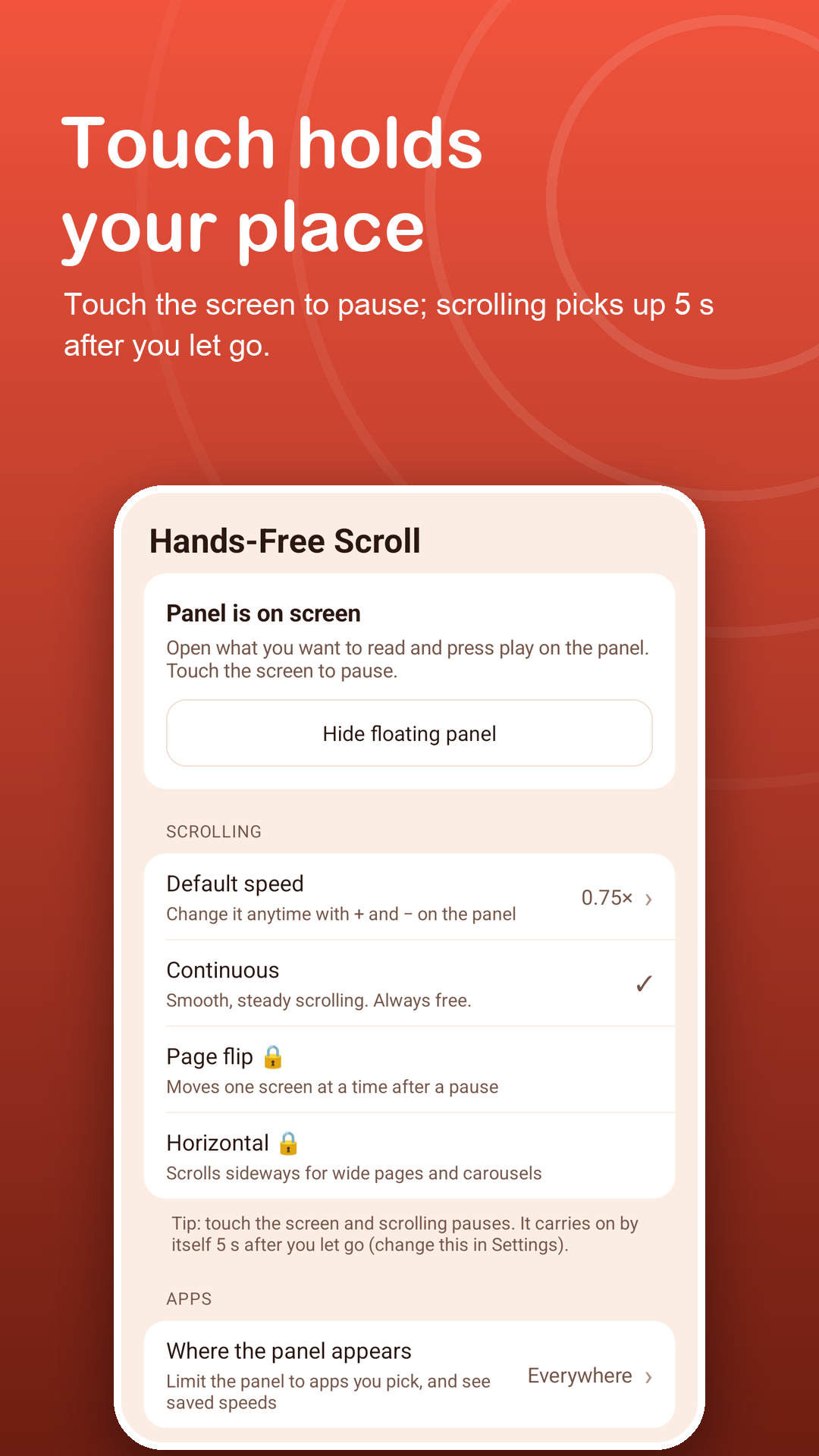
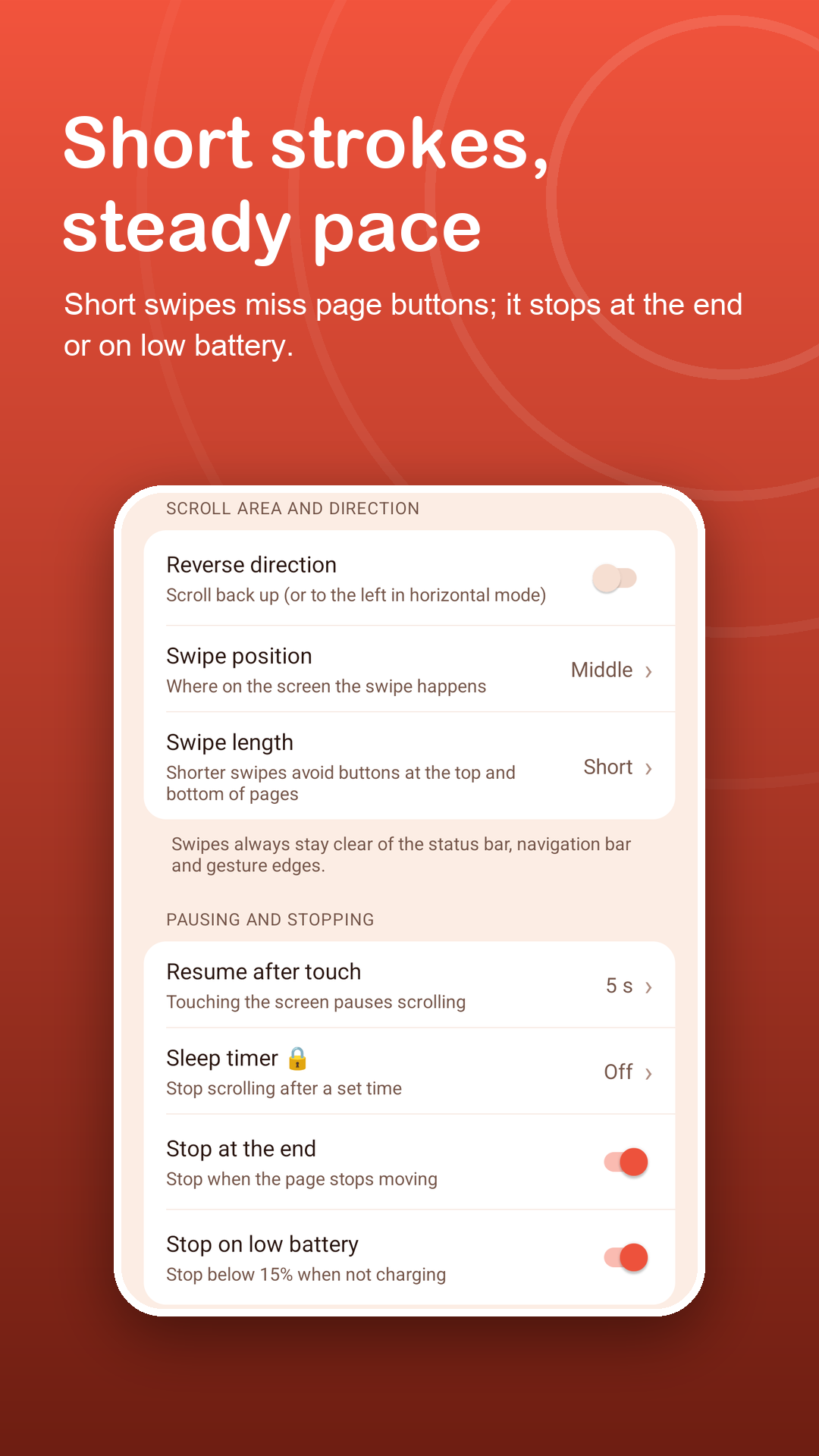
A touch on the screen holds the page still. It starts again after 2, 3, 5 or 10 seconds, or waits for play.
Features
Made for hands that are doing something else.
No touching needed
After one tap on play, the page keeps moving on its own in small connected steps, so you do not lose your line.
From careful to quick
Nine paces, from 0.25× for reading a score or pattern line by line to 3× for skimming. Change it while it runs.
Safe to leave running
Stops at the end of the page, below 15% battery when not charging, and pauses when you switch apps.
Fits the page
Swipe on the left, middle or right, short or long, and reverse to roll back up to the ingredients.
Page flip for scores
Premium: one full screen every 2 to 60 seconds, plus horizontal mode and a sleep timer.
A pace for each app
Your recipe app and your music app can each keep their own pace: one app free, every app with Premium.
Privacy
Your hands are free. Your screen stays private.
Hands-Free Scroll uses the Accessibility API for one job: the scroll gestures you start with play. It receives the app name in front and scroll-position numbers, never what is on your screen. Read the privacy policy.
FAQ
Fair questions.
Why is an accessibility service needed?
Swiping inside another app is only possible through Android's Accessibility API. Hands-Free Scroll uses it only to perform the scroll gestures, and only while you have pressed play.
Does it read my recipes or music?
No. It cannot read text, images, passwords or other content on screen. It receives only the name of the app in front and scroll-position numbers, and collects no data through the service.
Can I pause without washing my hands?
A light touch anywhere on the screen pauses scrolling, and it resumes by itself after the delay you choose. Play and pause are also in the notification.
Does it stop by itself?
Yes: when the page stops moving at the end, below 15% battery when not charging, and when you switch apps. Some apps do not report the end of a page; there, touch to pause or use the Premium sleep timer.
The floating panel is missing.
Tap "Can't see the panel?" in the app. It checks the service, panel, app list, system window, battery and notifications, and offers a one-tap fix.
What is free and what is Premium?
Continuous scrolling, all nine paces, touch to pause and the auto stops are free. Premium adds page flip, horizontal mode, the sleep timer, a pace for every app and no ads.